
How to Fix a Cracked iPad Screen?
Learn how to fix a cracked iPad screen with this step-by-step guide. Get quick and effective solutions for your device.
 By Gadgetarian apple· Apple Service & Repair Specialist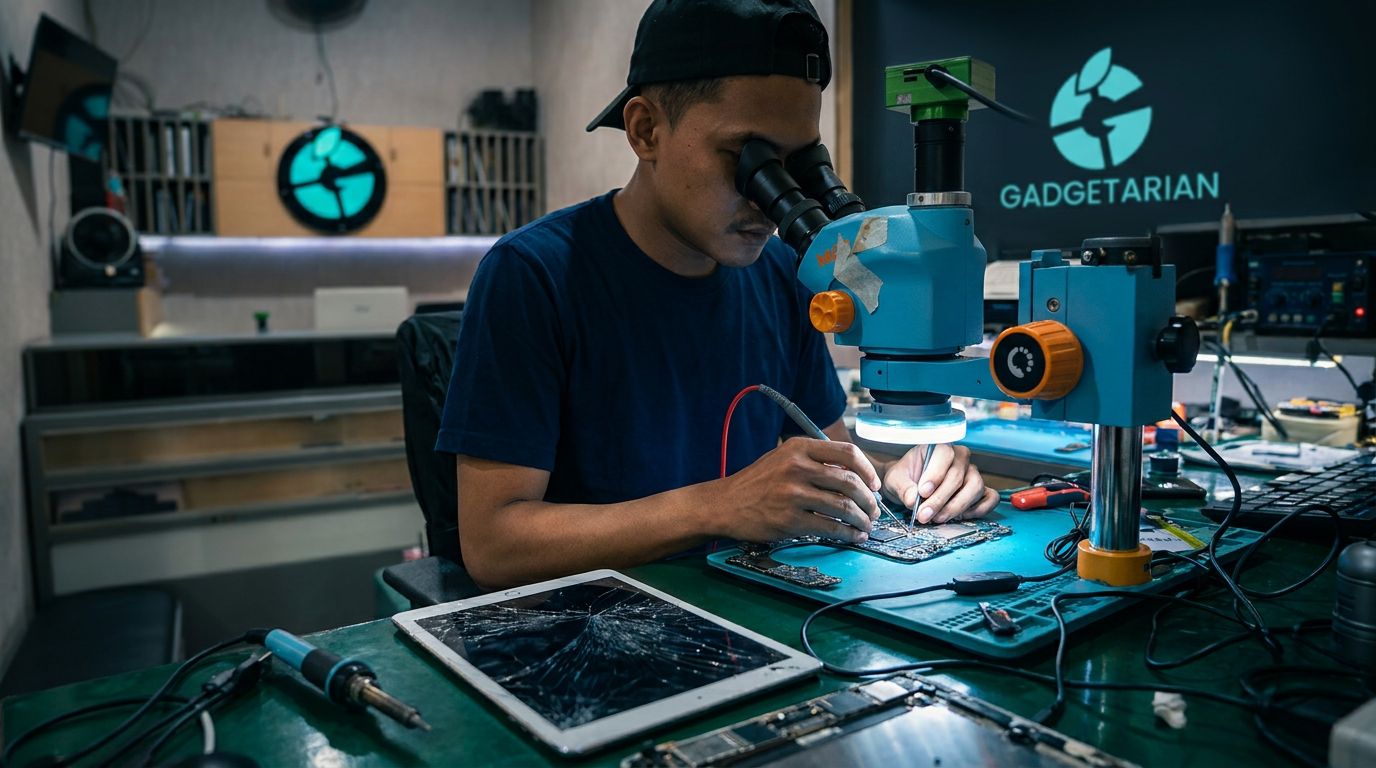
Quick Solutions for a Cracked iPad Screen
When your iPad screen is cracked, the quickest solution is to replace the screen. Repairing the iPad screen is often not feasible due to the complexity of touch screen technology, and it's more efficient to replace it outright. Users in Bandung who rely on Gadgetarian apple can expect fast and quality repair services for their Apple devices.
Addressing a cracked iPad screen is not just about restoring the device's functionality, but also about maintaining aesthetics and user comfort. Here are some quick steps you can take:
- Evaluate the Damage: Check how severe the screen crack is. If the crack is small and does not affect functionality, you might be able to postpone repairs. However, if the screen is unresponsive or the crack is spreading, seek repairs immediately.
- Back Up Your Data: Before proceeding with repairs, ensure that all important data is backed up. Use iCloud or iTunes to keep your data safe, as the repair process may erase data on the device.
- Find a Trusted Repair Service: Choose a service that has a good reputation and experience in handling iPad repairs. In Bandung, Gadgetarian apple offers reliable repair services. Be sure to check reviews and customer testimonials before selecting a service.
- Consider Cost and Time: Take into account the repair costs and the time required. Cheaper services may be tempting, but ensure they use quality parts. Poor-quality replacement screens can lead to further issues.
- Use Original Parts: If possible, use original parts for repairs. This ensures better quality and compatibility with your device. Using original parts can enhance the reliability of your device.
By following these steps, you can ensure that your iPad functions optimally again and avoids further issues. Choosing the right repair service is key to quickly and effectively fixing your iPad screen.
Steps to Repair an iPad Screen
Repairing a cracked iPad screen can be a challenging task, but with the right guidance, you can do it yourself if you have the necessary tools and skills. Here are the steps you can follow to repair your iPad screen:
- Prepare Tools and Materials: Before you start, make sure you have all the necessary tools. This includes small screwdrivers, a screen opening kit, and a replacement screen that is compatible with your iPad model. You will also need to set up a clean and organized workspace to avoid losing small parts during the process.
- Turn Off the iPad: The first step is to turn off your iPad to prevent further damage. This is important to ensure your safety and that of the device during the repair process.
- Remove the Cracked Screen: Use the screen opening tool to gently pry the cracked screen away from the iPad body. Be careful to avoid damaging any other internal components. This process requires patience and precision.
- Install the Replacement Screen: Once the cracked screen has been successfully removed, it's time to install the replacement screen. Ensure that the replacement screen is properly fitted and all connectors are securely attached. This is a crucial step to ensure the screen functions well after the repair.
- Test Screen Functionality: Before closing up the iPad, turn the device on to check if the replacement screen is functioning properly. Make sure there are no issues with touch response or visual display.
- Reassemble the iPad: If the replacement screen is working well, you can proceed to reassemble the iPad. Ensure that all screws and components are properly installed to prevent future issues.
Repairing an iPad screen on your own can save costs, but it is not without risks. If you feel uncertain or uncomfortable doing it yourself, consider seeking professional help. There are many repair services in Bandung that can assist you with quality service. For more information, you can check iPad repair services in your area.
It is important to remember that repairing your iPad screen yourself may void the device's warranty. So, weigh the pros and cons before deciding to do it yourself. If you need more information regarding the costs of professional repairs, you can refer to the section Costs Required for Repairs in this article.
Costs Involved in Repair
Repairing a cracked iPad screen requires careful consideration of costs. Repair expenses can vary depending on several factors, including the extent of the damage, the iPad model, and whether you choose official or third-party repair services. Here are the steps to understand the necessary costs:
- Identify the Damage: The first step is to assess the extent of the damage to your iPad screen. Damage to the touchscreen or LCD can affect repair costs. For minor damage, the costs may be lower compared to more severe damage.
- iPad Model: The model of your iPad also influences the costs. Newer or more advanced models typically require higher repair costs due to more expensive parts. For example, repairing a Gadgetarian apple iPad Pro may be more expensive than earlier generation iPads.
- Repair Service Options: You have the option to repair through official services or third-party providers. Official services may offer better quality guarantees, but usually at a higher cost. Conversely, third-party services may offer more affordable prices, but it’s important to check their reputation first.
- Cost Estimates: Generally, repairing a cracked iPad screen can range from 1 million to 3 million IDR, depending on the factors mentioned above. If you choose a third-party service, be sure to get a written cost estimate before making a decision.
- Additional Costs: Also consider any additional costs that may arise, such as shipping or inspection fees if your iPad requires special handling.
- Additional Accessories: If you also need additional accessories, be sure to add these costs to your budget.
By understanding these factors, you can make a more informed decision regarding the costs of repairing your iPad screen. Be sure to weigh the quality of service against your available budget to achieve the best results.
When to Contact a Professional
Dealing with a cracked iPad screen can be a frustrating experience, especially if you rely on the device for work or study. While some simple repairs can be done on your own, there are times when contacting a professional is the wiser choice. Here are some situations where you should consider seeking help from a repair expert.
More Severe Damage
If your iPad screen has severe cracks that affect the touchscreen functionality or pose a risk of glass shards, this is a clear sign to contact a professional. Deeper damage often requires specialized tools and expertise that most users do not possess. Attempting to fix it yourself in such conditions can worsen the situation or even damage other components.
Lack of Tools or Experience
Many users do not have the right tools or experience to repair electronic devices. Given that the iPad is a complex device, trying to fix it without the proper tools can lead to further damage. Repair professionals typically have access to specialized tools and the necessary knowledge to safely handle various types of damage.
Warranty or Insurance Protection
If your iPad is still under warranty or covered by insurance, contacting a professional is the right step. Tampering with the device yourself could void your warranty or insurance claim. Many professional services can work with warranty or insurance providers to ensure repairs are done according to the applicable terms.
Cost and Time Efficiency
While some users may feel that fixing it themselves can save money, the reality is that a botched repair can lead to higher costs down the line. Professionals can provide clear cost estimates and often complete repairs faster than if you were to do it yourself. This is especially important if you can't be without your iPad for long.
Quality End Results
Using professional services guarantees a higher quality end result. They not only replace the damaged screen but also ensure that the iPad functions properly after the repair. This includes making sure that the touchscreen works perfectly and that no other issues arise after the repair.
By considering the factors above, contacting a professional to fix your iPad screen is a smart decision in certain situations. You not only get better results but also avoid the risk of further damage that can occur if you attempt to fix it yourself without adequate expertise.
Final Results and What to Expect
After going through the process of fixing a cracked iPad screen, the main expectation is to have a device that functions optimally again. However, it's important to understand that the final results can vary depending on several factors. Here are some points to consider:
- Quality of Repair: If you decide to fix the iPad screen yourself, the quality of the repair heavily depends on your skills and the tools used. Using low-quality tools and parts can lead to new issues, such as an unresponsive screen or inaccurate colors. Conversely, using parts recommended by the manufacturer can help ensure compatibility and optimal performance.
- Repair Costs: The cost of fixing the iPad screen can vary depending on whether you do it yourself or use professional services. DIY repairs may be more cost-effective, but they carry risks if you lack experience. On the other hand, using professional services can be more expensive, but they often provide service guarantees and better repair quality.
- Warranty and Support: When choosing a professional repair service, check if they offer a warranty on the work performed. This warranty is important to protect you from issues that may arise after the repair. Services that provide warranties typically demonstrate confidence in the quality of their work.
- Completion Time: The time required to complete the repair is also important. DIY repairs may take longer if you're not familiar with the process. In contrast, professional services usually have quicker turnaround times because they are experienced and have access to the necessary parts.
- Condition After Repair: Once the repair is complete, make sure to check all functions of the device. Ensure the screen is working well, responsive, and free from visual issues like dead pixels or color discrepancies. If there are any problems, contact the service provider immediately for a solution.
Fixing a cracked iPad screen can be a rewarding experience if done correctly. However, it's essential to weigh all these factors before deciding whether to do it yourself or use professional services. With the right preparation, you can ensure that your iPad is functioning well again and ready for everyday activities.
FAQ
Can I fix my iPad screen myself?
Yes, you can fix your iPad screen yourself if you have the right tools and follow the guide carefully. However, if in doubt, it's better to seek professional help.
How long does it take to fix an iPad screen?
The time it takes to fix an iPad screen varies depending on the extent of the damage, but it usually takes about 1 to 2 hours.
Does fixing an iPad screen affect the warranty?
Fixing your iPad screen yourself can affect the warranty if not done by an authorized technician. It's best to check the warranty policy before proceeding with the repair.